Family Recipes

Creating your own Recipe Journal

Preserving your family recipes and tales around the family dining table in your own recipe journal is now easier than ever. You can make your own recipe journal in bookstore quality print and online at Bookemon without prior experience in making your own book. Fill your own recipe journal book with family memories, recipes passed down from generations to generations and records of joyous occasions around the kitchen and you will have a priceless keepsake to share with your family and friends.
We offer ready to use recipe templates and design resources for you to make your own recipe journal. There are more than 128 color choices for text and page background and over 20 different fonts for you to choose from. You can use one of the seven family recipe book templates to start your book project or you could decide to create your own design completely and start with our blank book templates. Our online book builder also provides you with an extensive library of clip art relevant to cooking and family surroundings. Bookemon makes it easy for you to create a one of a kind book of your own design.
You can make a recipe journal with as little as 20 pages or up to 460 pages in length. Our books come in Portrait, Square or Landscape orientation of various sizes in either soft or hardcover format. Recipes can be copied and pasted from your existing collection on your computer, history records and artifacts can be scanned in and stories can be typed in using the online Book Builder. After your have completed your recipe book project, you can order as little as a single copy or as many copies as you need whenever you wish. And best of all, your treasured family memories and recipes will be preserved for the future generations.

Tools and Tips on Making Your Own Book
You have three options to choose from to start creating your books and they are:
1. Start with a Blank Template
If you are self-assured and quite comfortable with using technology and standard PC or MAC applications, then you can use this option to create a book totally of your own design. We provide you with a library of clipart, page backgrounds, text and image box frames and individual page templates to simplify your design tasks.
2. Start with a Document
If you have your book completely or mostly created on your computer already, you will be able to upload them to create your book using this option. Our site supports Microsoft Word, Powerpoint and Adobe PDF file formats. You can use our online Bookbuilder to add more pages to your book online and to accentuate your pages using our extensive clipart library.
3. Start with a pre-designed template
To make it simple for majority of our members to create their books for the first time, we provide a library of book templates for every theme offered on our site. These templates come with a set of book pages designed and pre-arranged to fit the theme of the book template you have chosen. You are free to follow the template page designs exactly or with your own creative variation. In fact, using a pre-designed template won't limit your ability to modify any of the template pages or remove them altogether. Once you feel comfortable with the online Bookbuilder, you can design the book exactly the way you like.

The Bookmaking process
Once you have created your book, you will be ready to add content to your book pages. Here are a few tips:
1. Uploading photos, clipart or documents
Under the left panel of the Bookbuilder, you will find the Media Library containing sections for photos, clipart and documents. Choose one of the sections to upload your content into your newly created book. Photos uploaded into your book will be saved under the Photo section of the Media Library panel. Similarly, clipart can be uploaded into the clipart section and documents in MS Word, Powerpoint or PDF formats can be uploaded into the document section.
2. Adding Photos and Clipart onto a page
From photo section under the Media Library, use Drag N' Drop to place a selected photo onto a book page. If you drag it onto an existing image box on the page, the photo will be placed inside the image box. If none existed on the page, then photos placed on the page will have an image box created for it automatically.
3. Adding Text in your book
Before you can add text onto a book page, you will need to create a text box. To enter text content in the text box, click on the textbox to reveal its editing menu bar and choose Edit. Once you enter into the Text Editor, you will be able to directly enter text into the textbox or use Cut N' Paste to copy text content from elsewhere into the textbox in question.

  • Get Started

Select a different theme:

View sample books       Price Calculator

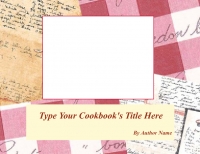
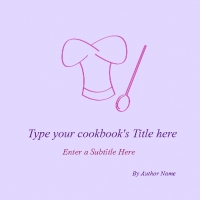
Total of 7 Family Recipe book templates:

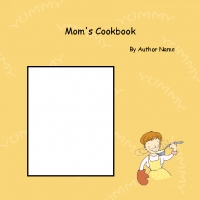
  • Mom's Cookbook

    Mom's Cookbook

    8.5 x 8.5 Picture Book (color)
    Hardcover and Softcover
    Min pgs: 20, Max pgs: 100
    Print Price: from $10.00

    Select the template

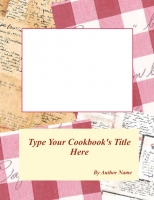
  • My Recipe Book (8.5x11)

    My Recipe Book (8.5x11)

    8.5 x 11 Picture Book (color)
    Hardcover and Softcover
    Min pgs: 20, Max pgs: 100
    Print Price: from $13.00

    Select the template

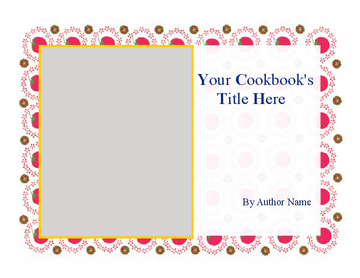
  • My Recipe Book (11x8.5)

    My Recipe Book (11x8.5)

    11 x 8.5 Picture Book (color)
    Hardcover Only
    Min pgs: 20, Max pgs: 100
    Print Price: from $25.00

    Select the template

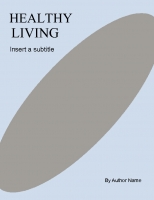
  • Healthy Living

    Healthy Living

    8.5 x 11 Picture Book (color)
    Hardcover and Softcover
    Min pgs: 20, Max pgs: 100
    Print Price: from $13.00

    Select the template

  • My Recipe Book (11x8.5)

    My Recipe Book (11x8.5)

    11 x 8.5 Picture Book (color)
    Hardcover Only
    Min pgs: 20, Max pgs: 100
    Print Price: from $25.00

    Select the template

  • My Cookbook

    My Cookbook

    8.5 x 8.5 Picture Book (color)
    Hardcover and Softcover
    Min pgs: 20, Max pgs: 100
    Print Price: from $10.00

    Select the template

  • My Recipe Book (7.75x5.75)

    My Recipe Book (7.75x5.75)

    7.75 x 5.75 Picture Book (color)
    Hardcover and Softcover
    Min pgs: 20, Max pgs: 100
    Print Price: from $10.00

    Select the template

Blank templates:

  • _
    8.5 x 11 - Choice of Hardcover/Softcover - Color - Picture Book

    8.5 x 11 Picture Book (color)
    Hardcover and Softcover
    Min pgs: 20, Max pgs: 100
    Print Price: from $13.00

    Select

  • _
    8.5 x 8.5 - Choice of Hardcover/Softcover - Color - Picture Book

    8.5 x 8.5 Picture Book (color)
    Hardcover and Softcover
    Min pgs: 20, Max pgs: 100
    Print Price: from $10.00

    Select

  • _
    7.75 x 5.75 - Choice of Hardcover/Softcover - Color - Picture Book

    7.75 x 5.75 Picture Book (color)
    Hardcover and Softcover
    Min pgs: 20, Max pgs: 100
    Print Price: from $10.00

    Select

  • _
    11 x 8.5 - Case w/Laminate - Hardcover - Color - Picture Book

    11 x 8.5 Picture Book (color)
    Hardcover Only
    Min pgs: 20, Max pgs: 100
    Print Price: from $25.00

    Select

  • _
    9 x 7 - Case w/Laminate - Hardcover - Color - Picture Book

    9 x 7 Picture Book (color)
    Hardcover Only
    Min pgs: 20, Max pgs: 100
    Print Price: from $23.00

    Select

Thick Book Formats:

  • _
    5.5 x 8.5 - Choice of Hardcover/Softcover - B&W - Book

    5.5 x 8.5 B&W Book
    Hardcover and Softcover
    Min pgs: 48, Max pgs: 460
    Print Price: from $6.95
    (Hardcover min pages: 108)
    Select

  • _
    7 x 10 - Choice of Hardcover/Softcover - B&W - Book

    7 x 10 B&W Book
    Hardcover and Softcover
    Min pgs: 48, Max pgs: 460
    Print Price: from $8.95
    (Hardcover min pages: 108)
    Select

  • _
    8.25 x 11 - Perfect Binding - Softcover - B&W - Book

    8.25 x 11 B&W Book
    Softcover Only
    Min pgs: 48, Max pgs: 460
    Print Price: from $8.95

    Select

  • _
    8.5 x 11 - Perfect Binding - Softcover - Color - Thick Book

    8.5 x 11 Color Book
    Softcover Only
    Min pgs: 100, Max pgs: 460
    Print Price: from $33.00

    Select

  • _
    5.5 x 8.5 - Perfect Binding - Softcover - Color - Thick Book

    5.5 x 8.5 Color Book
    Softcover Only
    Min pgs: 48, Max pgs: 460
    Print Price: from $18.00

    Select

  • _
    7 x 10 - Perfect Binding - Softcover - Color - Thick Book

    7 x 10 Color Book
    Softcover Only
    Min pgs: 48, Max pgs: 460
    Print Price: from $18.00

    Select